Typing the exact title of a television show into a search bar only to receive 2-minute clips, promotional trailers, or a "no full episodes found" message is a widespread and frustrating experience on Video on Demand (VOD) platforms. Users often assume this is a glitch with the search bar itself. However, the root cause lies in the complex interplay between media licensing rights, content distribution strategies, ranking algorithms, and backend data management systems.
This article provides an in-depth analysis of the technical and legal reasons why full VOD episodes remain hidden, along with a step-by-step guide to help you locate your desired content quickly.
Root Causes Why Full VOD Episodes Do Not Appear
1. Time-Limited VOD Availability Windows
Television licensing contracts rarely grant platforms permanent VOD broadcasting rights. Instead, content producers enforce "catch-up windows." For many reality TV shows or drama series, the free VOD display window typically lasts only 7 to 30 days after its initial TV broadcast.
Once this window expires, the system automatically removes the full video file from the public display server. Consequently, when you search using the exact title, the system only retains the raw metadata page, promotional articles, or short clips that are exempt from strict licensing time limits.
2. Music Rights and Retracted Episodes
This is a common reason why specific individual episodes suddenly vanish from a season while the remaining episodes stay accessible. Songs featured in TV shows especially those produced before the 2010s often have licensing agreements limited to traditional television broadcasting, excluding digital streaming rights.
When publishing a complete season to a VOD application, if the publisher fails to renegotiate music rights for a particular episode, they must pull that episode to edit the soundtrack or remove it permanently. Additionally, episodes flagged for violating updated community standards or triggering historical controversies are frequently retracted from VOD libraries by producers.
3. Specifics of the Original Broadcast Format (Live Broadcast vs. Pre-recorded)
The original production format directly dictates whether a show receives a full VOD release. Live broadcasts such as news updates, sporting events, award shows, or live-voting reality programs are rarely optimized for full-length VOD archiving.
Due to their real-time nature, networks focus on breaking down content into short interviews, highlight clips, or recap segments for immediate posting. If the show you are searching for lacks a pre-recorded script, there is a strong chance the platform will never publish a full, uninterrupted VOD episode.
4. Separation Between Free (AVOD) and Paid Content (SVOD/TVOD)
Modern streaming services divide their content libraries by subscription tier:
AVOD (Advertising-based VOD): Free to watch with ads, usually offering short clips or older episodes.
SVOD (Subscription VOD): Monthly subscription models that unlock full episodes currently within their broadcast window.
TVOD (Transactional VOD): A pay-per-view model where users rent or purchase individual episodes or seasons.
If you are using a free account or are not logged in, the application's search interface may actively hide the "Play Full Episode" button or prioritize public short clips. In many cases, the episode exists but is hidden behind a "Lock," "Rent," or "Upgrade Account" icon.
5. Search Algorithms Prioritizing Short-Form Content (Clips vs. Full Episodes)
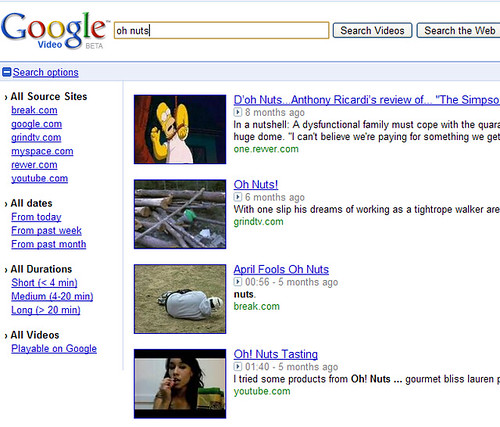
The default search filter on many VOD applications is engineered to maximize user engagement metrics. Short clips, highlights, and previews typically generate higher view counts and better completion rates.
As a result, when you enter a generic program title, the algorithm tends to push high-traffic short clips to the top of the results. If you do not pay attention to the video duration displayed at the corner of the thumbnail, it is easy to assume the platform lacks the full VOD version.
6. Geographic Restrictions and Regional Rights (Geo-blocking)
Distribution rights for television programs are divided by country and territory. A show may hold full VOD streaming rights in North America while being completely geo-blocked in Southeast Asia.
When your device's IP address indicates a location outside the licensed territory, the VOD system automatically filters out full video files from search results to avoid breaching exclusive regional contracts. Users in restricted regions will see a "Content Unavailable" message or only have access to non-restricted promotional clips.
7. Indexing Delays and Metadata/Scraper System Errors
When a new episode finishes airing on traditional TV, making the file available on the VOD library requires several technical steps: video encoding, subtitle synchronization, content moderation, and database indexing. This process usually takes between 1 and 6 hours.
During this delay, users searching by title will encounter a "data gap." Furthermore, if the app's metadata management system (scraper) experiences ID synchronization errors (e.g., TVDB/TMDB ID mismatches) or naming format discrepancies (e.g., S01E01), the internal search engine will fail to retrieve the video file even if it has already been uploaded to the server.
How to Resolve Missing Full VOD Episodes
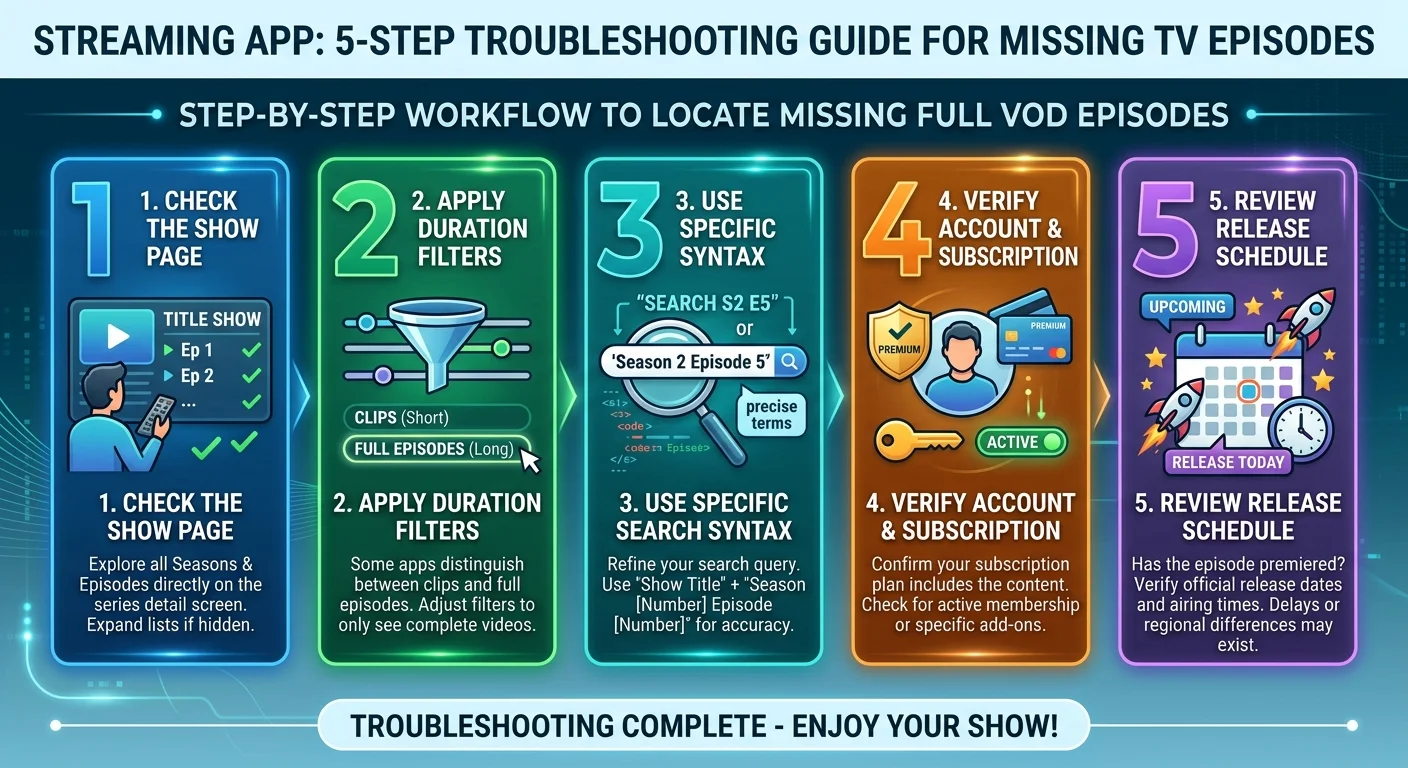
To ensure you don't miss hidden episodes caused by interface issues or algorithmic bias, follow this troubleshooting workflow:
Go directly to the Series Page: Skip the quick search results dropdown. Click directly on the show title to navigate to its main show page. Here, content is structured by Season and Episode number, making it clear whether an episode is locked, removed, or not yet uploaded.
Use the Duration Filter: If the search bar supports filters, select a duration filter above 20 minutes (for sitcoms/short shows) or above 45 minutes (for dramas/full broadcasts) to eliminate trailers and highlight clips under 10 minutes.
Search using precise episode syntax: Instead of typing just the show name, combine the title with standard episode codes. For example:
[Show Title] S01E01or[Show Title] Full Episode. This structure prompts the search indexer to prioritize full video files.Verify Account Status and Region: Ensure you are logged into an active account with the appropriate subscription tier. If you suspect regional blocking, check licensing announcements on the producer's official website.
Account for broadcast delays: If the show aired on TV just hours ago, wait 3 to 6 hours for the system to complete video encoding and VOD database sync.
 Frequently Asked Questions
Why are individual episodes missing from an otherwise available season?
Missing single episodes mid-season usually stems from unresolved music licensing issues or temporary retractions due to sensitive content. Additionally, the missing entry might be a Special Episode that uses a different metadata numbering scheme than standard episodes.
How long after a TV broadcast does a full VOD episode appear?
On average, a VOD episode appears within 1 to 24 hours post-broadcast. However, some networks enforce a "Next-Day Streaming" policy, meaning the full VOD episode only unlocks at 12:00 PM the following day.
What should I do if typing the exact show title and episode number still returns no video?
Try searching via a desktop web browser rather than a mobile app or Smart TV app. Web interfaces provide clearer error messages regarding episode status (e.g., "This episode has expired" or "Requires Premium Plan").
Can a VPN help view VOD episodes hidden by geo-blocking?
If the cause is regional licensing, switching your IP to the licensed country can make the episode visible. However, many modern VOD services employ advanced VPN detection and may block access if an invalid IP or proxy is detected.